
JSSI Software – Traxxall: October Feature Release
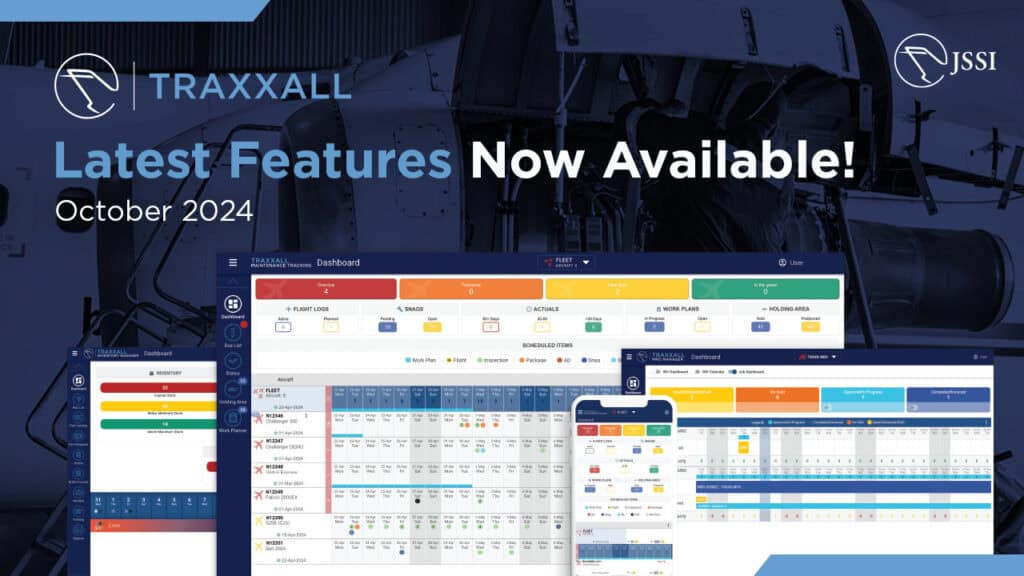
JSSI continues to invest in its software portfolio and the evolution of Traxxall – a powerful digital platform that enables data-powered decision making and planning. Part of JSSI Software, Traxxall provides analyst-supported maintenance tracking and inventory management to support diverse fleets and virtually all jets, turboprops, and helicopters.
Working closely with our subscribers, Traxxall uses product feedback to continually enhance and expand what is possible within the platform. We are committed to delivering the most advanced maintenance tracking solution in the industry.
The latest features dropped earlier this month – read below to learn more about a few highlights from this release:
Maintenance Tracking Software
- The new Work Plan task note feature allows users to enter notes against Work Plan tasks for streamlined communication on their statuses, compliance updates, and any other necessary information.
- Detailed report views were introduced during the last release, and there are new features available. Each default or custom report type can now be configured to a detailed view – a feature that allows users to display their data in a structured table format with enhanced ability to select visible columns and data.
- Airworthiness Directives (ADs) and Service Bulletins (SBs) can now be grouped by their Issuing Authority to ensure users are able to review, generate reports, and manage their data as needed.
- Additionally, a new Log Entry and MTR setting is available for ADs and SBs: an option to display ‘Next Due’ date on generated log entries, eliminating the need for users to manually enter these dates to ensure accuracy and compliance.
- Other new features include a new ‘Expand/Collapse’ all groupings for various reports in Traxxall 360, functionality to see Spares in the Fleet View alongside regular aircraft, a new warning dialog designed to prevent unintentional masking of a task’s Next Due information, and more.
Inventory Manager
- The addition of the ‘blacklist’ option on the Part Catalog page allows users to easily designate specific part numbers as blacklisted, allowing them to be gradually phased out of usage.
- Orders functionality has been enhanced by introducing an option to enable multi-currency feature after an order is placed. All receiving lines within the order will allow users to enter costs in foreign currencies, with home currency costs automatically calculated based on the entered exchange rate.
- A new Work Plan Order Excel report is available in Traxxall 360, designed to highlight all inventory orders connected to selected Work Plans.
- Other updates include the addition of an ‘Order Missing Items’ option to Traxxall 360 Part Request screens to allow users to easily add non-available materials to new or existing orders, and new options in the ‘Additional Cost’ field – adding travel, fees, and tools for tracking purposes.
—
If you’re considering switching to Traxxall from your current maintenance tracking provider, we would love the opportunity to walk you through the system and answer all your questions. Schedule a demo here, or reach out to [email protected] to get in touch with our team.
About JSSI
For more than 35 years, Jet Support Services, Inc. (JSSI) has been the leading independent provider of maintenance support, advisory services, software, and financial tools to the business aviation industry. With 6,000+ aircraft supported by maintenance programs and software platforms, JSSI leverages this wealth of data, scale, and innovation to drive cost savings and provide custom solutions that align to the interests of each client, regardless of make or model. Learn more at jetsupport.com.
JSSI products and services include:
Maintenance Programs. Hourly Cost Maintenance Programs to stabilize maintenance budgets, maximize aircraft availability and enhance residual value.
Parts & Leasing. Experienced product line specialized team who leverages our All-OEM inventory and global vendor relationships and go beyond parts sourcing to find optimal customer solutions.
Software: Traxxall and Conklin & de Decker. Powerful data platforms to help you make more informed decisions, from choosing the right aircraft to tracking your maintenance, inventory, and MRO projects.
Advisory Services. Objective insights and independent technical advice from a global team of technical advisors and ASA-accredited appraisers for virtually any business jet, turboprop or helicopter.
Aviation Capital. Customized asset-based finance solutions for business aviation.
Contact I JSSI Communications
Isabella Rimton [email protected]